Appointments
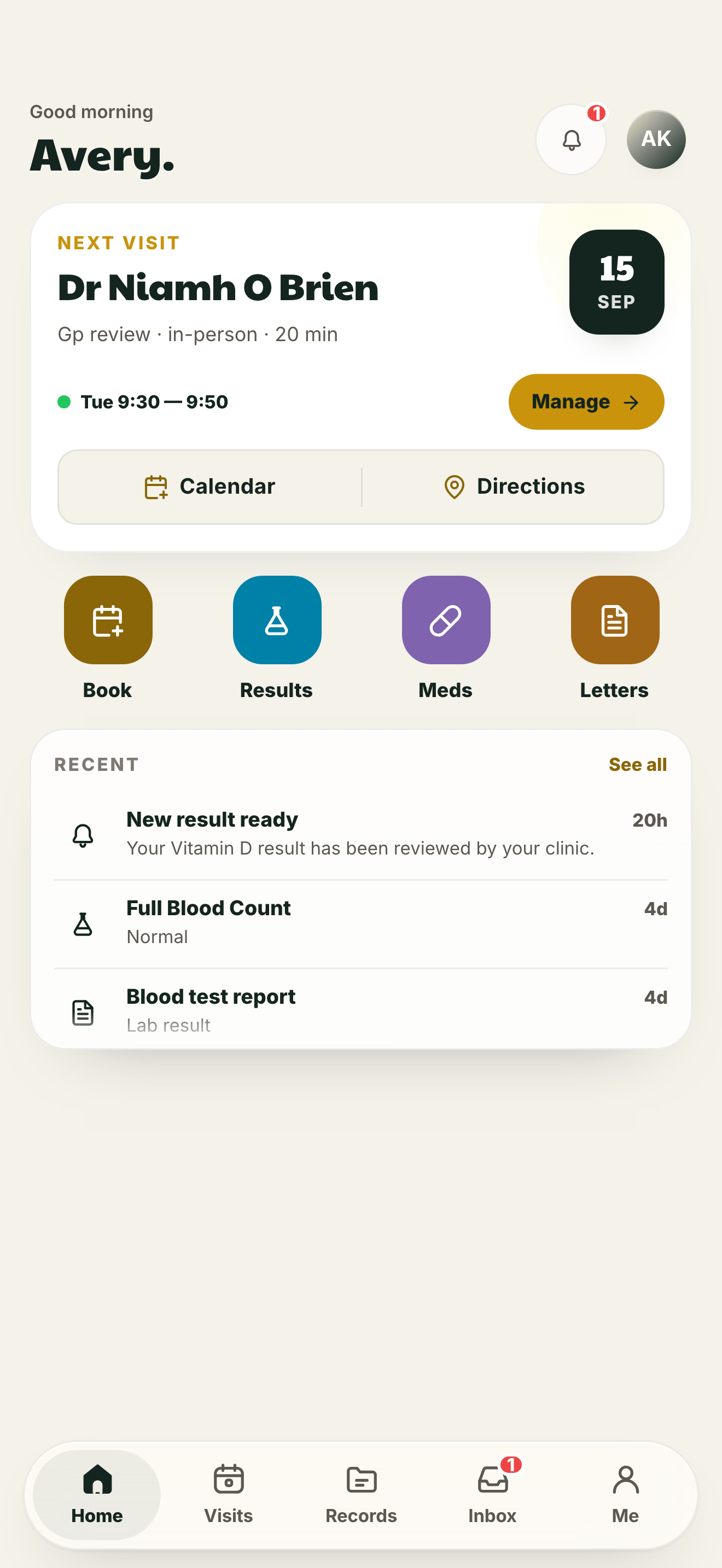
See upcoming visits and manage the appointment options your clinic makes available.
MyBrigid keeps appointments, clinic-shared results, medications, documents and secure messages together in one private patient app.
MyBrigid is for patients whose clinic uses Ask Brigid. The information and actions you can see depend on what your clinic enables and shares with you.
One place for the practical things
Open MyBrigid when you need the details your clinic has made available—without searching old messages, letters or calendar notes.
See upcoming visits and manage the appointment options your clinic makes available.
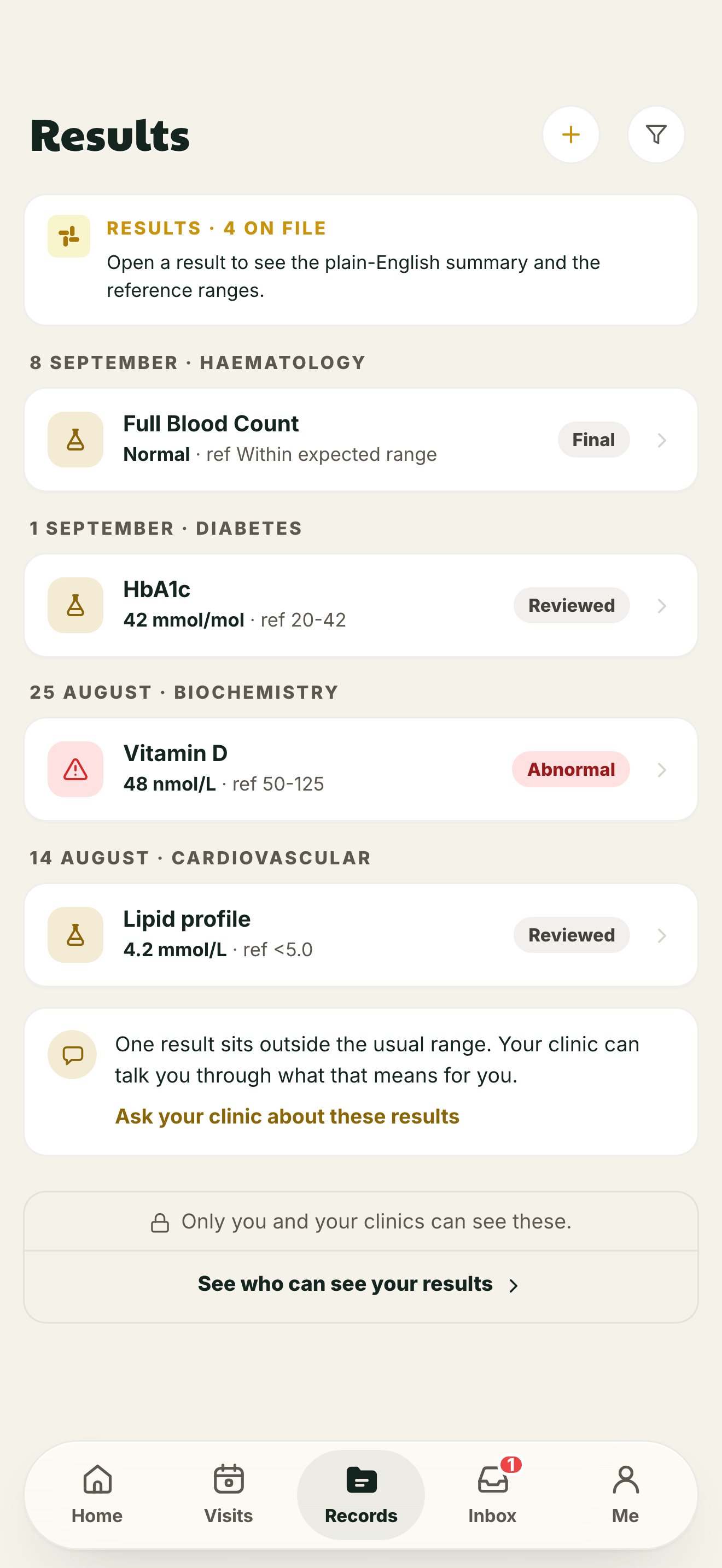
Open results, letters and documents after your clinic has reviewed and shared them.
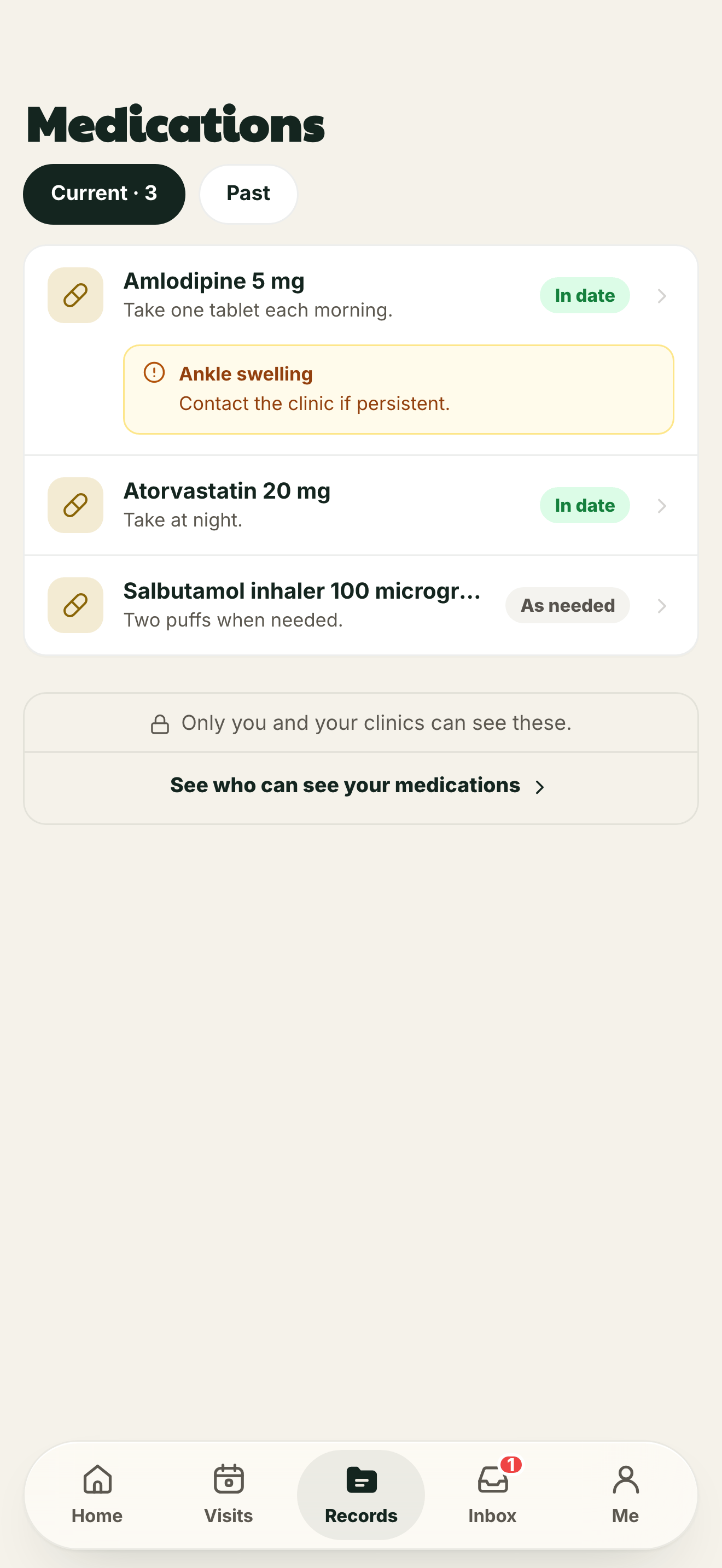
Keep the medication information shared by your clinic close to hand.
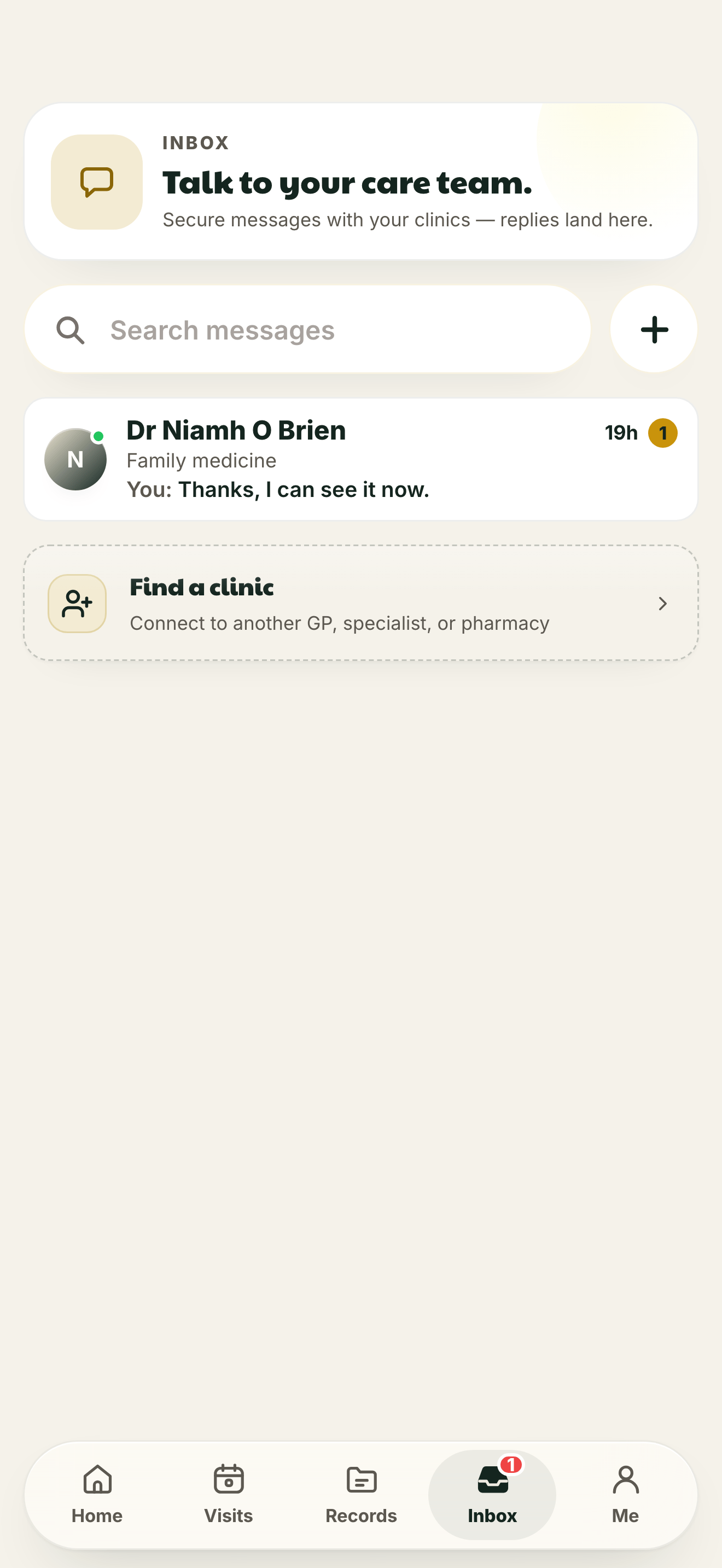
Read and send non-urgent messages through your clinic connection.
The app itself
Familiar sections, readable details and an obvious route back to your clinic.
Results
Results stay connected to the clinic responsible for your care.
Medications
Review medicine names, instructions and clinic notes in one place.
Inbox
Secure patient messages and replies remain together in one thread.
Privacy you can inspect
MyBrigid shows the clinic connections and sharing controls attached to your account. Access is logged and visible to you.
Read the privacy noticeYour account is connected to a participating clinic.
Your clinic decides which results and documents it releases.
See connected clinics and manage the sharing options available to you.
MyBrigid is not for emergencies and does not replace medical advice.
How access works
It is not a public medical-advice service. Your clinic provides access and remains responsible for the care information it shares.
The clinic enables the patient services it supports.
You receive the access details needed to sign in.
Your available appointments, records and messages appear together.
Already received access from your clinic?
Use the email address connected to your patient account.